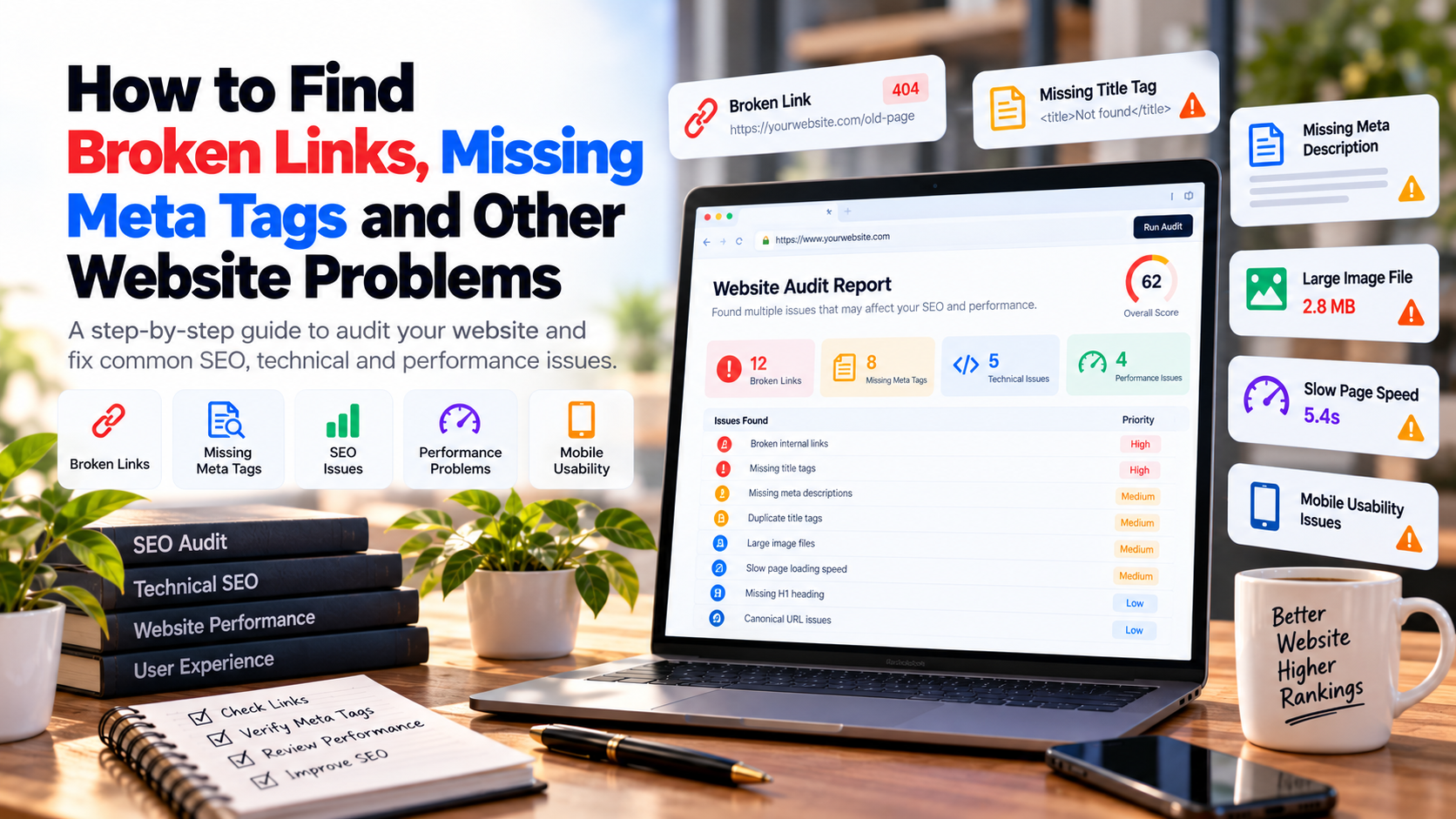
A website can look completely normal while still containing broken links, missing meta tags, incorrect canonical URLs, indexing problems and other technical issues that are difficult to notice manually.
These problems can affect how users navigate your website and how search engines crawl, understand and process your pages.
The good news is that you do not need to inspect every line of code to start finding common website problems. A structured website audit can reveal many of the most important issues quickly.
In this guide, you will learn how to find broken links, missing meta tags and other common website problems step by step.
Quick Answer: How Do You Find Website Problems?
Start by crawling your website and checking important URLs, links, metadata, headings, canonical tags, indexing directives, robots.txt, sitemap configuration, mobile usability and performance. Automated website audit tools can identify many common technical issues, while important findings should be manually reviewed before making changes.
1. Start With Your Important Website Pages
Before checking individual errors, identify the pages that matter most to your business. These may include your homepage, service pages, product pages, important landing pages, contact page and high-performing blog posts.
- Homepage
- Main service pages
- Product or e-commerce pages
- Important landing pages
- Contact page
- Location pages
- High-value blog articles
- Pages receiving organic traffic
2. How to Find Broken Links
A broken link points to a URL that does not work as expected. This can happen when a page is deleted, a URL changes, a domain disappears or an incorrect link is added to your website.
Broken links can occur in navigation menus, blog posts, service pages, footer links, buttons, images and other parts of a website.
What Is a Broken Link?
A broken link is generally a hyperlink that leads to an unavailable or incorrect destination. A common example is a link that leads to a page returning a 404 response.
Why Are Broken Links a Problem?
- Visitors may reach pages that do not exist
- Important navigation paths can stop working
- Website usability can decline
- Crawlers may encounter unnecessary dead ends
- Old content can lose useful internal connections
- Broken links can indicate poor website maintenance
3. Check Internal Links First
Internal links connect pages within your own website. These deserve special attention because they directly affect navigation and the relationship between your important pages.
For example, a service page should not contain links to outdated versions of your services, deleted blog posts or old URLs that now return errors.
4. Check External Links
External links point to other websites. These links can become outdated when another website removes or changes a page.
For important external references, periodically verify that the destination still exists and is relevant.
5. Find Missing Title Tags
Every important page should have a meaningful title that clearly describes what the page is about. Missing titles make it harder to communicate the purpose of a page.
Instead of generic titles such as Home or Page, use titles that describe the actual service, product, topic or location represented by the page.
6. Find Missing Meta Descriptions
Meta descriptions provide search engines with information that may be used to represent a page in search results. A useful description should explain the page clearly and encourage the right visitor to click.
7. Check for Duplicate Titles and Descriptions
Important pages should not all use identical metadata. Duplicate titles and descriptions can make it harder to distinguish pages and their individual search intent.
8. Check Your H1 Heading
The H1 is normally the primary heading of a page. Check whether important pages have a clear H1 that accurately represents the page topic.
9. Check Heading Hierarchy
Review H2 and H3 headings to make sure they create a logical structure. Headings should organize the content rather than being used only to make text look larger.
10. Check Canonical URLs
Canonical URLs communicate which version of a page should generally be treated as the preferred URL when multiple versions exist.
An incorrect canonical can create confusion if an important page points to an unrelated URL or another page that should not be treated as its canonical version.
11. Check for Accidental Noindex
A noindex directive can be useful when you intentionally do not want a page indexed. However, accidentally applying it to an important service, product or landing page can prevent that page from appearing in search.
12. Check Robots.txt
Review your robots.txt file to make sure it does not unintentionally restrict important areas of your website.
13. Check Your XML Sitemap
An XML sitemap helps search engines discover URLs that you want to be considered for crawling. Make sure the sitemap exists and that important URLs are represented appropriately.
14. Find 404 Errors
A 404 response normally means that the requested resource cannot be found. Some 404 pages are perfectly normal, especially when visitors request URLs that do not exist.
The bigger problem is when important internal links or external references repeatedly send users toward URLs that no longer exist.
15. Check Redirects After URL Changes
Website redesigns and URL restructuring can create old URLs that no longer match the new website structure. Review important old URLs and use appropriate redirects when a relevant replacement exists.
16. Check Website Speed
A slow website can create a poor user experience. Large images, unnecessary scripts, excessive third-party resources and inefficient implementation can all contribute to slower pages.
17. Find Large Images
Large image files can increase page weight unnecessarily. Review images that are significantly larger than their displayed dimensions and optimize them where appropriate.
18. Check Mobile Usability
Open important pages on mobile devices and look for horizontal scrolling, tiny text, overlapping elements, difficult-to-tap buttons and broken layouts.
19. Check HTTPS
Make sure important pages load securely over HTTPS and that the website does not create avoidable mixed-content or insecure-resource problems.
20. Check Structured Data
If your website uses structured data, review whether the markup accurately represents the page and whether the implementation is technically valid.
21. Check Image Alt Text
Important informative images should have useful alternative text where appropriate. Avoid stuffing keywords into alt attributes simply for SEO.
22. Check Internal Linking
Your most important pages should be connected through logical internal links. A blog article about website errors, for example, can naturally link to your website health checker and relevant development services.
23. Use an Automated Website Audit
Manually checking every URL can become difficult as a website grows. An automated website health checker can provide a useful first-pass analysis of common SEO, technical, accessibility, performance and security signals.
The goal of an automated audit is not to replace human analysis. It is to help you identify potential problems faster so you know where to investigate.
What Should a Website Audit Check?
| Area | What to Check | Common Problems |
|---|---|---|
| SEO | Titles, descriptions, headings, canonical URLs | Missing metadata, duplicates, incorrect canonicals |
| Technical | Status codes, robots.txt, sitemap, indexing | 404 errors, crawl restrictions, indexing problems |
| Performance | Page weight, images, scripts and response time | Large assets, slow loading, excessive resources |
| Accessibility | Images, controls and page structure | Missing alt text, unclear structure, poor usability |
| Security | HTTPS and secure resources | Insecure connections or mixed content |
Free Website Health Checker
You can use the YNS Web Studio Website Health Checker to run a free initial website review.
The report can help you understand which areas deserve attention before you start making changes.
How to Prioritize Website Problems
Not every warning deserves the same level of attention. Start with problems that can directly prevent important pages from being accessible, crawlable or usable.
- Fix important broken pages and links
- Review accidental indexing restrictions
- Fix incorrect canonical URLs
- Resolve serious HTTPS problems
- Improve major mobile usability problems
- Address significant performance issues
- Fix missing or poor metadata on important pages
- Improve internal linking
- Review lower-priority accessibility and social metadata issues
Common Website Audit Mistakes
- Fixing every warning without considering business impact
- Changing canonical URLs without understanding the site structure
- Blocking pages in robots.txt without checking their purpose
- Adding keywords unnaturally to metadata
- Deleting pages instead of redirecting valuable URLs
- Optimizing only desktop and ignoring mobile
- Treating an automated score as a complete SEO strategy
- Ignoring content quality after fixing technical issues
When Should You Audit a Website?
A website audit is especially useful after a redesign, migration, domain change, URL restructuring, major technology update or significant content expansion.
Regular checks are also useful for active business websites because links, pages, integrations and content can change over time.
Frequently Asked Questions
How do I find broken links on my website?
You can crawl your website with a link-checking or website-audit tool and review URLs that return errors. Important findings should then be manually verified.
How do I find missing meta tags?
An SEO audit tool can inspect page HTML and identify missing title tags and meta descriptions. You can also inspect the page source manually.
Are broken links bad for SEO?
Broken links can create poor user experiences and unnecessary dead ends. Their importance depends on where they occur and how significant the affected pages are.
Can a website audit fix errors automatically?
An audit primarily identifies potential problems. Fixing them safely usually requires understanding the website architecture, content, code and business requirements before making changes.
Can a free website checker find every SEO problem?
No automated checker can replace a complete SEO and business analysis. Automated tools are useful for identifying common technical signals, while content quality, search intent, competition and strategy require deeper analysis.
Final Website Problem Checklist
- Check important pages for broken links
- Check internal links
- Check external links
- Check title tags
- Check meta descriptions
- Check H1 headings
- Check heading hierarchy
- Check canonical URLs
- Check noindex directives
- Check robots.txt
- Check XML sitemap
- Check 404 pages
- Check redirects
- Check HTTPS
- Check mobile usability
- Check image sizes
- Check image alt text
- Check structured data
- Check page performance
- Review internal linking
Final Thoughts
Website problems are often easier to fix when you find them early. Broken links, missing metadata, indexing restrictions and performance problems can remain hidden until someone performs a proper audit.
Start with the pages and problems that matter most to your business. Use automated tools to discover common issues, verify important findings manually and prioritize fixes based on their real impact.
If you want to check your website before deciding what needs to be fixed, run a free audit with the YNS Web Studio Website Health Checker.
Still deciding what technology your website needs?
Share your idea, existing website or business requirements and we'll help you understand the best direction.
Have a website idea?
Let's build it properly.
We build modern websites focused on performance, usability, SEO and business results.